Echo Groups
Echo Groups
Echo Groups allow you to set leader accounts where you can execute trades and follower accounts where trades will be copied to. The Echo Groups tab shows you how many groups you have, the leader for each group, and how many followers you have for each group.
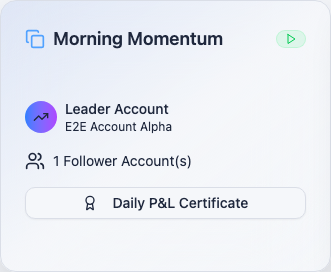
If a group has a green play indicator on it, it is enabled. If it has a red pause indicator on it, the Echo Group is disabled.
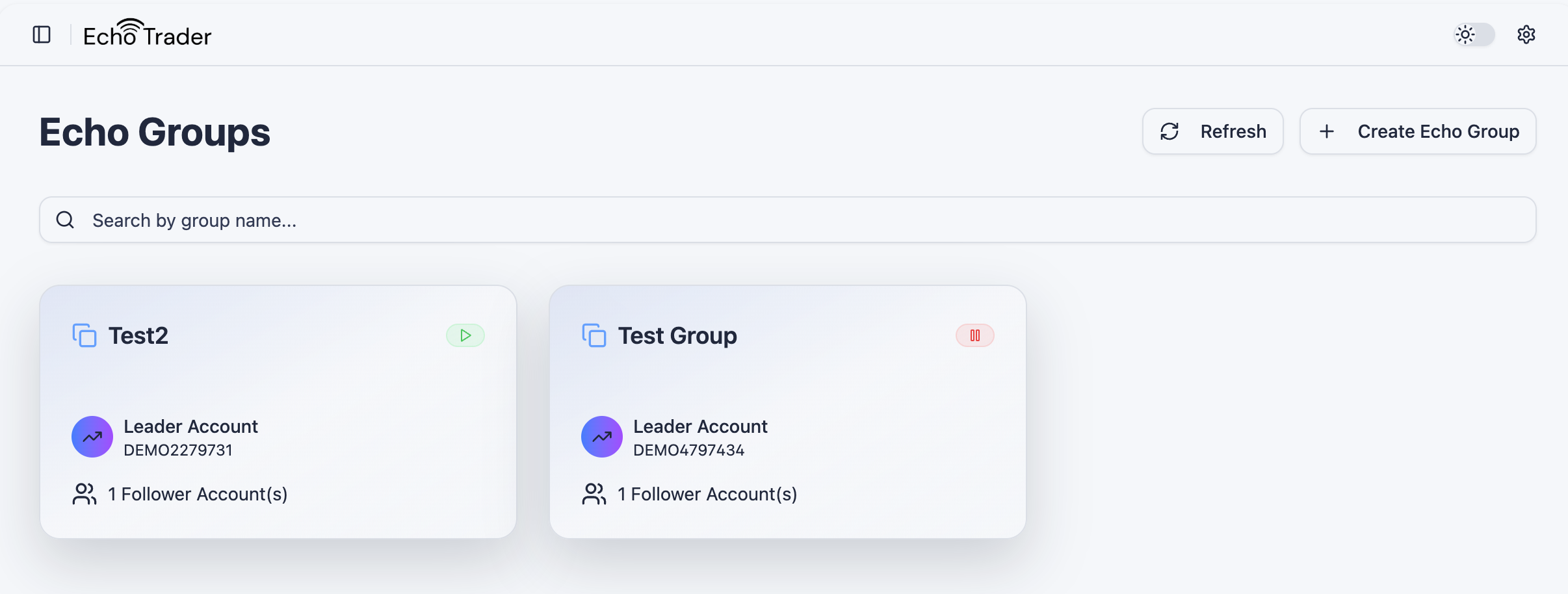
Understanding Echo Groups and Avoiding Copy Loops
It's very important to understand that it is best practice to have a unique leader and followers in each group, and to ensure that leaders and followers do not overlap between groups. If a leader is a follower of another group, it could create a copy loop where orders intended for a group get ping-ponged between groups. Double check your Echo Groups to ensure that you have created unique leader and follower combinations.
Echo Trader helps prevent this situation. It shows a warning when a leader is a follower of another group at the top of the Echo Groups screen. The affected group(s) will also have a yellow badge on them indicating the warning.
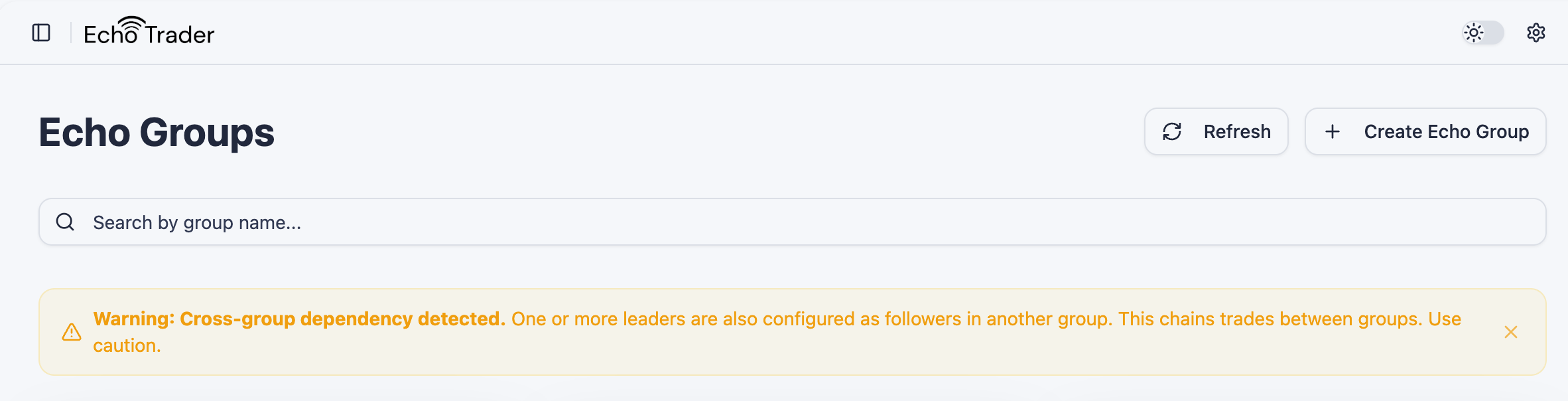
It will show you a red error on the screen and won't let you save your Echo Groups if, for example, Group A has Leader Account 1 and Follower Account 2, and Group B has Leader Account 2 and Follower Account 1 because this would create a copy loop that can cause unintended consequences where trades are ping-ponging back and forth between groups.

Create an Echo Group
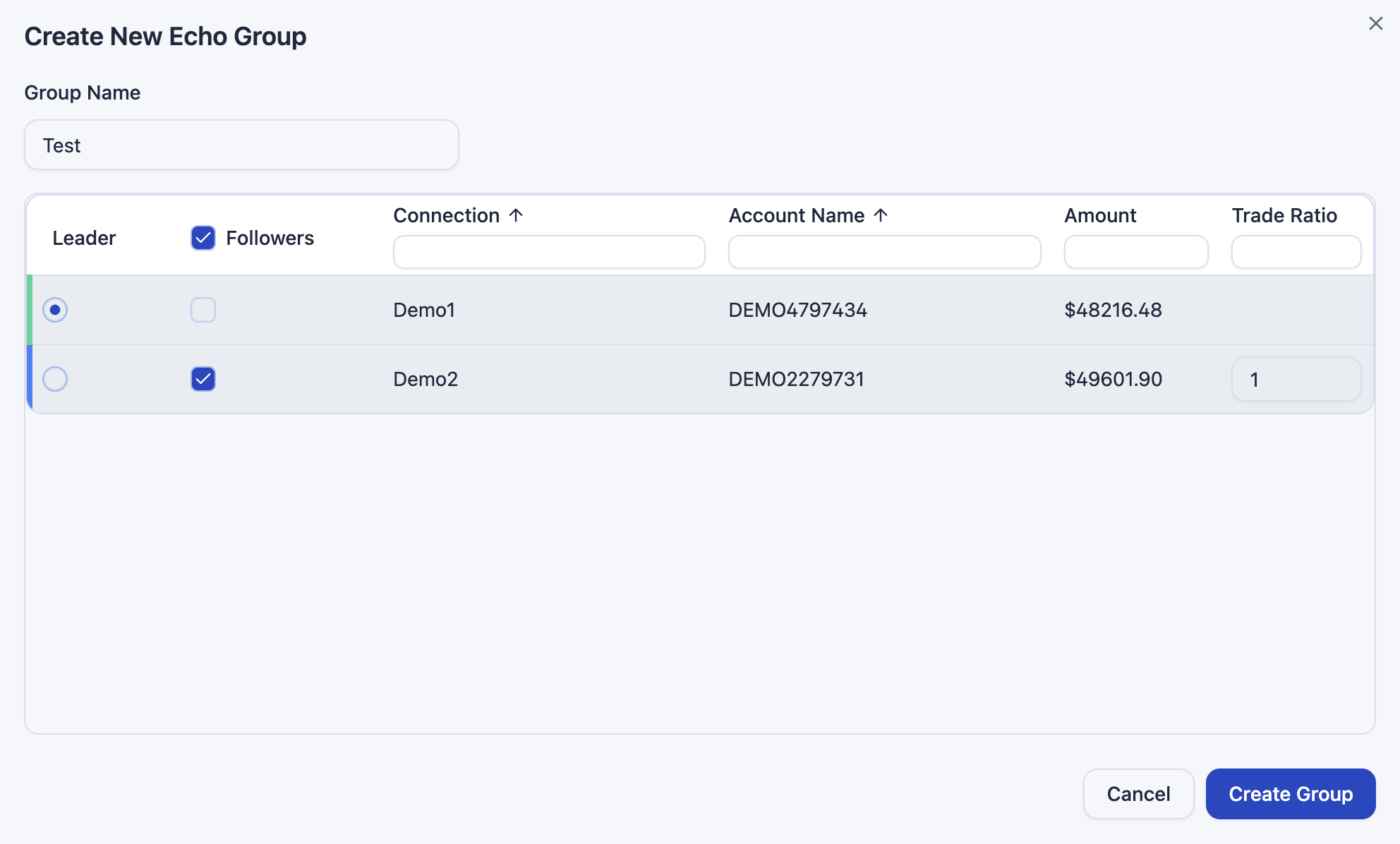
- Navigate to the Echo Groups tab and click on Create Echo Group.

- A popup will appear where you can:
- Set your Echo Group name
- Set your leader and follower account(s). Follower accounts will copy trades executed on the leader account.
- Set your Trade Ratio. A Trade Ratio is multiple of the leader account contracts that will get copied to the follower account. Echo Trader rounds to the nearest whole number to determine the number of contracts to copy to followers, and the minimum contract number for a follower is 1 contract. For example, if your leader account buys 5 contracts on MNQ, and your follower account has a Trade Ratio of 2, your follower account will buy 10 MNQ contracts. As another example, if your leader account buys 3 contracts on MNQ, and your follower account has a Trade Ratio of 0.1, your follower account will buy 1 MNQ contract.
- Click Create Group to create the Echo Group.
Editing an Echo Group
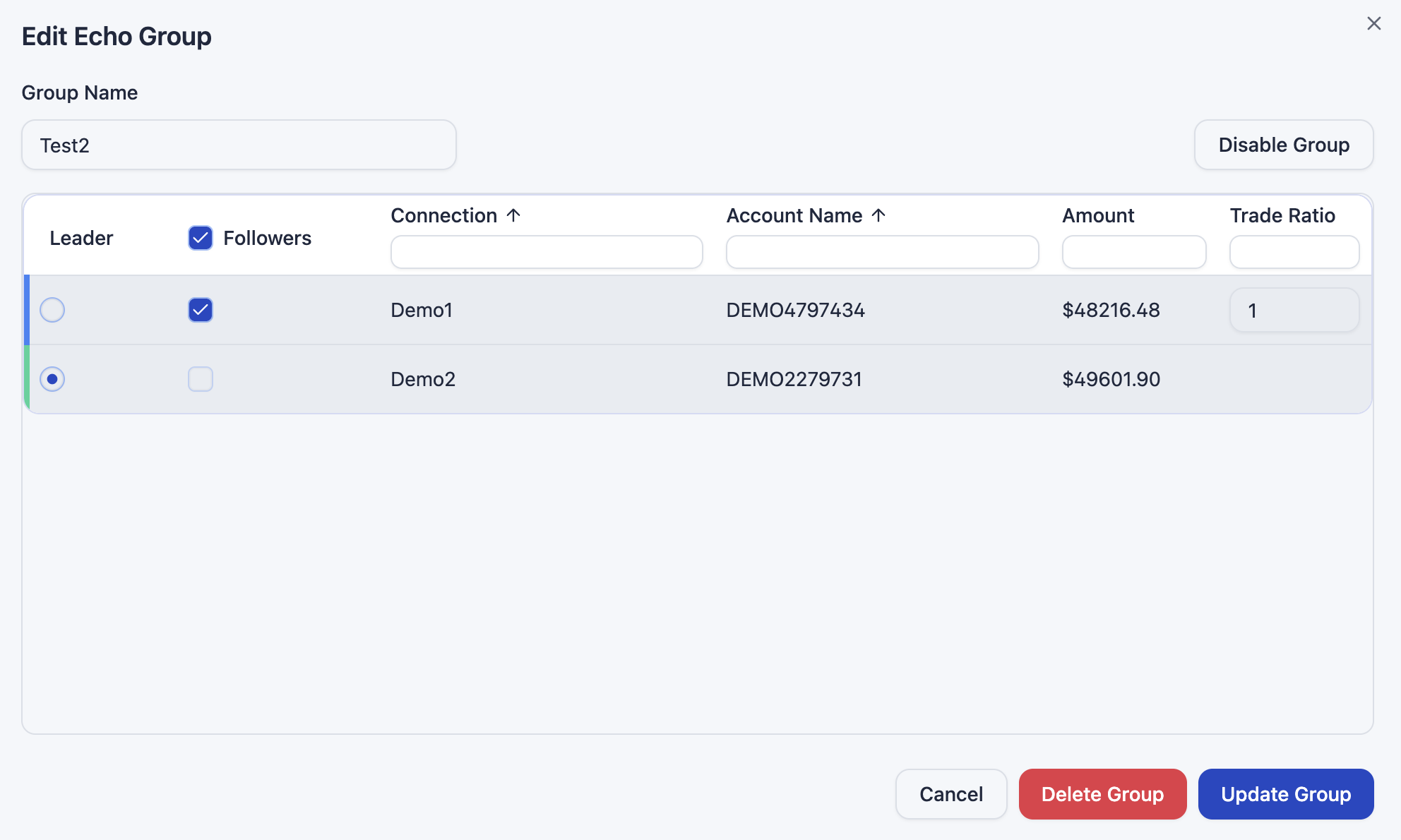
You can click on a group from the Echo Groups tab and edit the name, leader, followers, and trade ratio of followers at any time. Click Update Group to save the changes to the Echo Group.
Disable an Echo Group
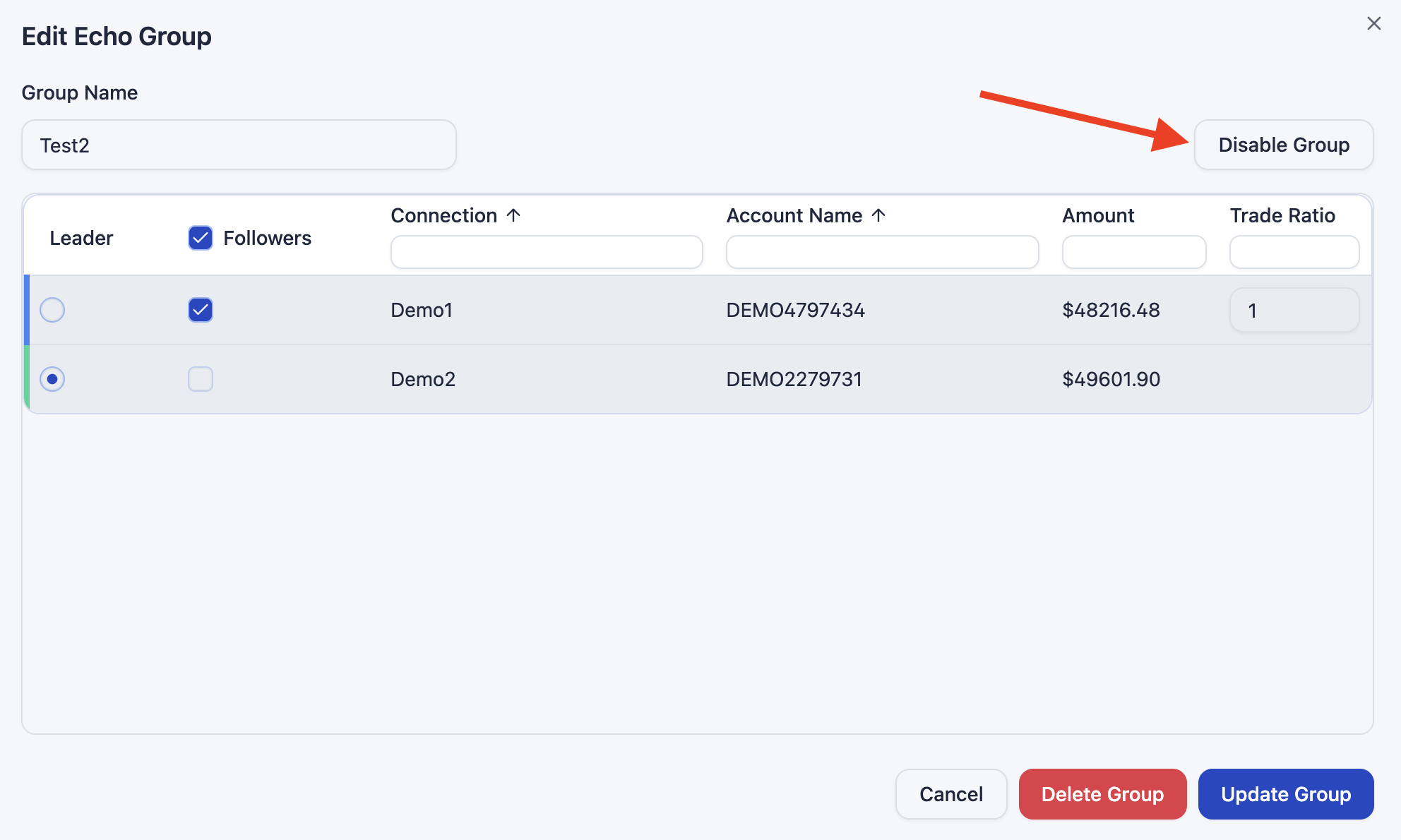
To disable an Echo Group, open the enabled group and click Disable Group. A group that is disabled will not copy trades from the leader account to follower accounts. Disabled groups have a red pause icon on the Echo Groups summary screen.
Enable an Echo Group
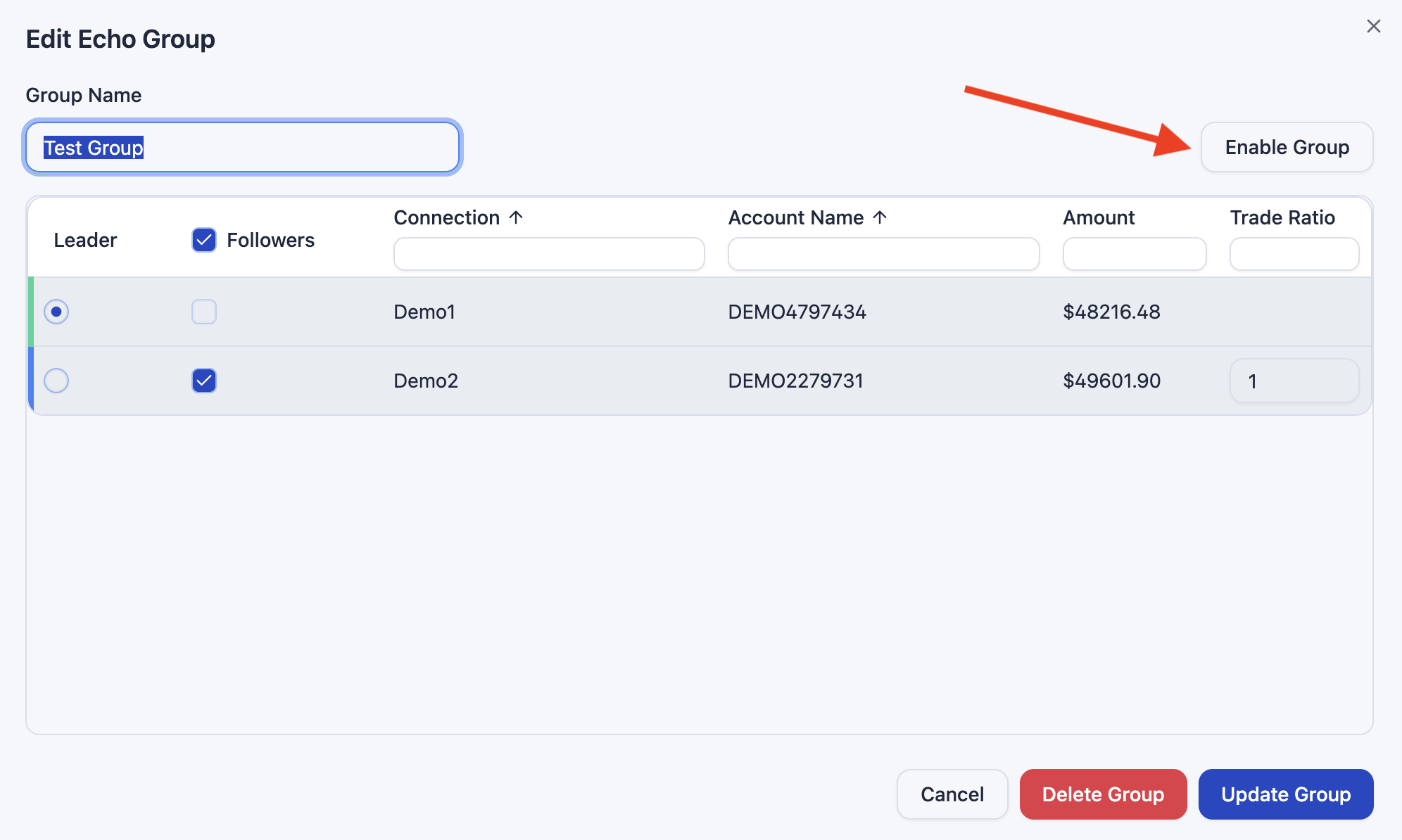
To enable an Echo Group, open the disabled group and click Enable Group. A group that is enabled will copy trades from the leader account to follower accounts. Enabled groups have a green play icon on the Echo Groups summary screen.
Delete an Echo Group
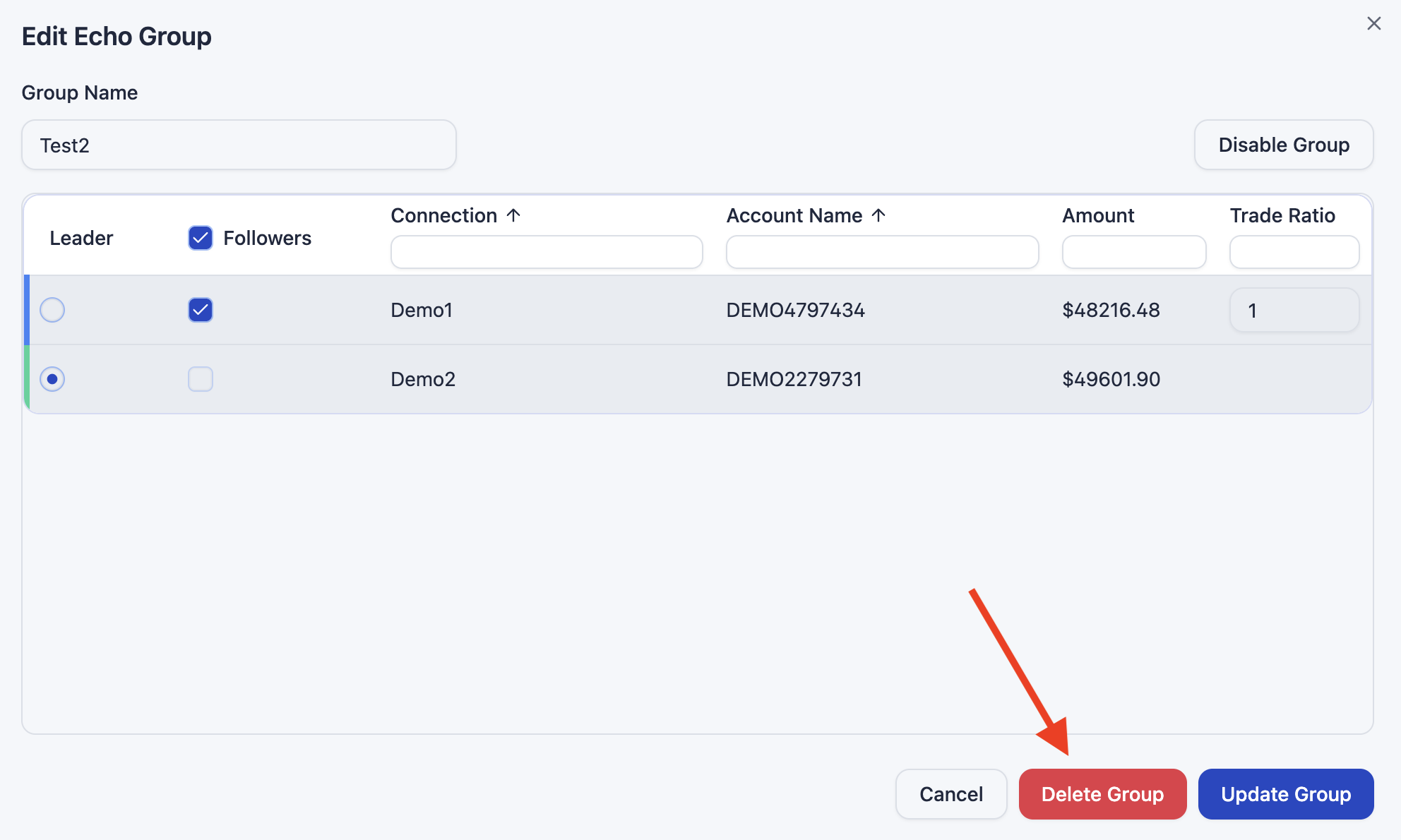
To delete an Echo Group, open the group and click Delete Group.
Daily P&L Certificate
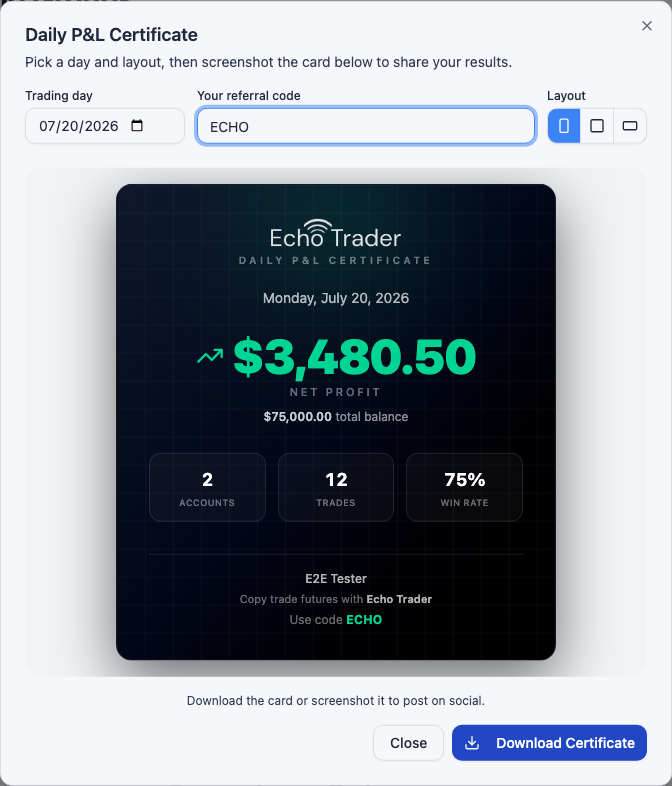
Each Echo Group has its own Daily P&L Certificate — a clean, branded graphic that summarizes the group's trading results for a day across its leader and follower accounts. It's built for sharing, so you can post your group's results on social media or in your trading community.
To create one, click the Daily P&L Certificate button on a group's card.
A popup will appear showing the certificate for today's date, scoped to that group's accounts. The certificate includes:
- Net Profit / Net Loss for the day
- Total Balance across the group's accounts
- Accounts, Trades, and Win Rate
- Echo Trader branding and your referral code
Choosing a Day
Use the Trading day picker to generate a certificate for any past day. The certificate always defaults to today when you open it.
Layout Options
You can switch the certificate between three layouts using the Layout toggle — Portrait, Square, and Landscape — to best fit where you're posting it. Echo Trader remembers your last choice for next time.
Adding Your Referral Code
Enter your referral code in the Your referral code field and it will appear on the certificate as "Use code XXX". This is a great way to earn affiliate credit when others sign up. Your code is remembered for future certificates.
Downloading the Certificate
Click Download Certificate to save the card as a high-resolution PNG image, ready to share. You can also simply take a screenshot of the card if you prefer.
Important Note: Certificate stats such as trades and win rate come from your synced orders. When you open a certificate for today, Echo Trader will attempt to sync that day's orders automatically. If today's orders aren't available yet, the certificate falls back to showing the group's live day P&L, labeled with a "Live" badge. To see full stats for older days, sync your orders from the Metrics tab.
You can also generate a certificate for all of your accounts at once from the Account Management tab.